
Updated Nov 27, 2026 — Direct Answer: Each clip below was rendered at 1080p / 25 fps with its exact prompt reproduced verbatim: a 10s multi-shot dialogue scene, 5s character tracking, 15s high-speed pursuit, 21:9 anamorphic sci-fi, 10s dance soundstage, and a 10s silent coastal push-in. Keep duration and ratio locked on your first test, then swap one detail at a time.
Example 1 — Multi-Shot Dialogue (10s, 16:9, with audio)
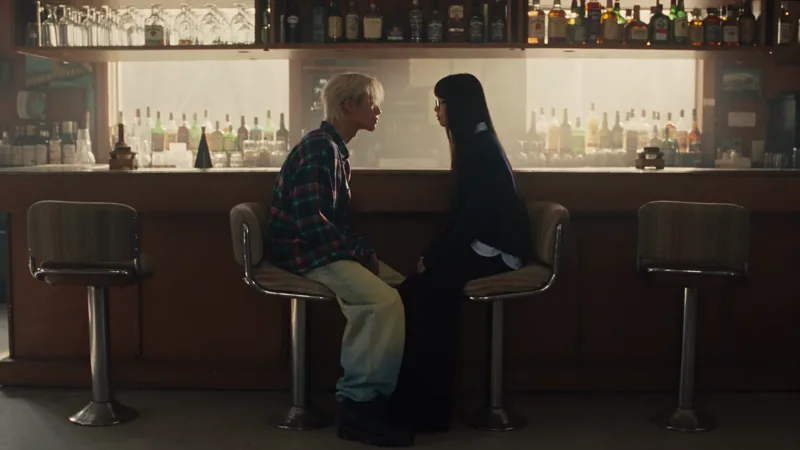
Workflow: Text to Video · Duration: 10s · Ratio: 16:9 · Audio: native synced
Shot 1: Warm tungsten-lit bar two-shot of two friends facing each other across bar stools, amber window backlight behind bottles. Hard cut to Shot 2: Surreal burst of shimmering confetti and soft smoke as the camera cuts to a tight close-up of his startled reaction. Sound: quiet bar ambience, sharp celebratory pop, soft rustle of falling confetti, and realistic room acoustics.
Why it works: Hard cut to Shot 2: splits the runtime evenly between setting and reaction while the sound beat lands directly on the visual cut. Watch the MP4.
Example 2 — Character Consistency (5s, 16:9, with audio)
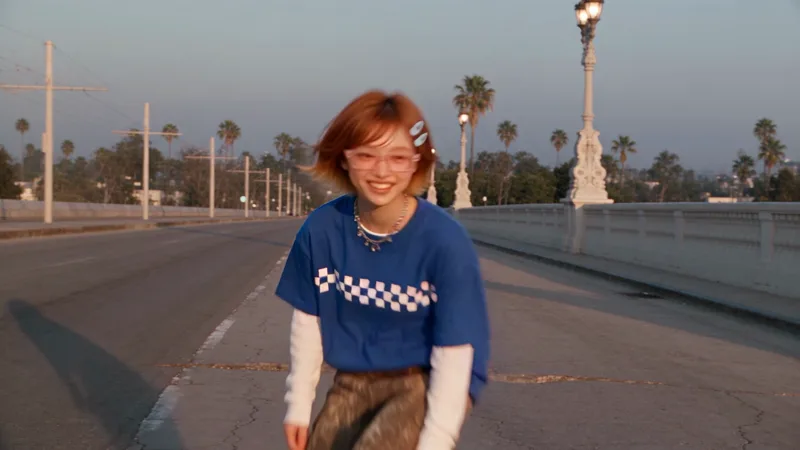
Workflow: Text to Video · Duration: 5s · Ratio: 16:9 · Audio: native synced
Golden-hour tracking shot following a skater in a blue checkered tee gliding along a wide concrete city bridge toward a sunlit downtown skyline. Low wheel-level start tilting smoothly up as she turns to smile at the camera. Sound: rolling skateboard wheels on cracked asphalt, warm breeze, and distant city hum.
Why it works: 5 seconds fits one unbroken move (low start tilting up) and one concrete wardrobe anchor (blue checkered tee) easy to repeat across follow-up shots. Watch the MP4.
Example 3 — High-Speed Tracking (15s, 16:9, with audio)
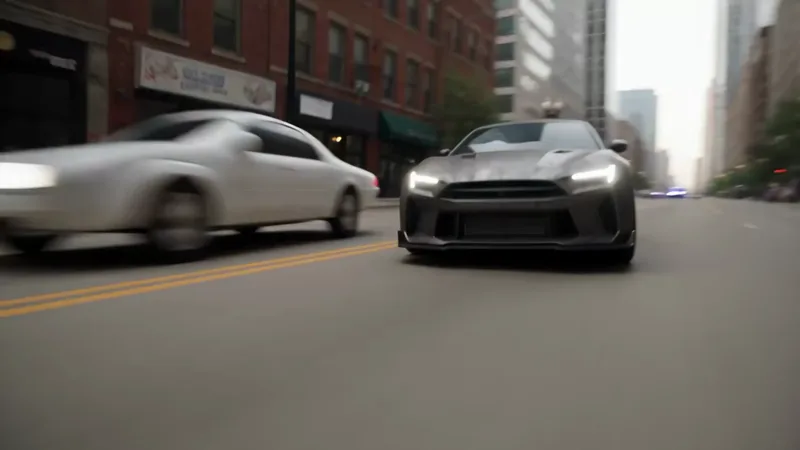
Workflow: Text to Video · Duration: 15s · Ratio: 16:9 · Audio: native synced
Low-angle high-speed tracking shot of a weathered silver sports coupe drifting under elevated steel train tracks through downtown traffic as a pursuit cruiser weaves behind. Fast cut to tight rear bumper exhaust glow. Sound: roaring engine reverberating beneath steel beams, screeching tires, and distant siren.
Why it works: 15 seconds pairs one sustained tracking run with a tight exhaust insert backed by concrete layered audio (engine, tires, siren). Watch the MP4.
Example 4 — Anamorphic Sci-Fi (10s, 21:9, with audio)
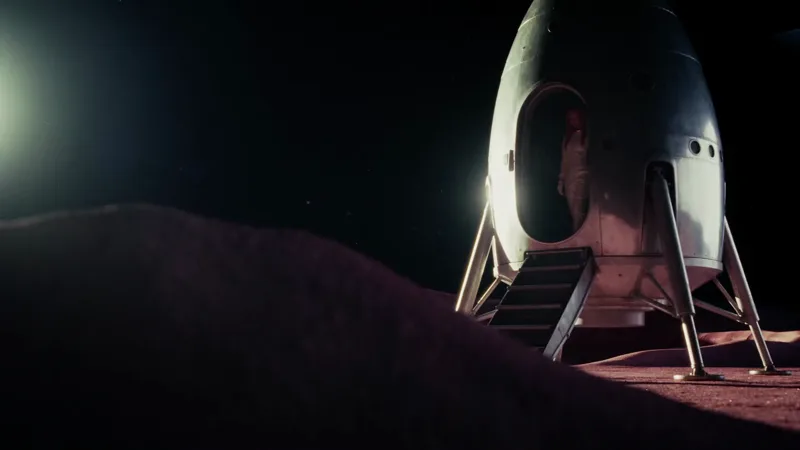
Workflow: Text to Video · Duration: 10s · Ratio: 21:9 · Audio: native synced
Wide cinematic sci-fi shot of a metallic spacecraft lander resting on crimson planetary dunes under pitch-black sky. Cut to close-up of white space boots stepping down the metal ladder into soft red dust, then over-the-shoulder reveal of a huge blue planet rising on the horizon. Sound: subtle pressurized suit breath, soft crunch of planetary dust, and deep ambient synth drone.
Why it works: Three clean static-to-slow framings (wide, boots, horizon reveal) let the 21:9 canvas carry scale without rushed camera motion. Watch the MP4.
Example 5 — Dance & Soundstage (10s, 16:9, with audio)
Workflow: Text to Video · Duration: 10s · Ratio: 16:9 · Audio: native synced
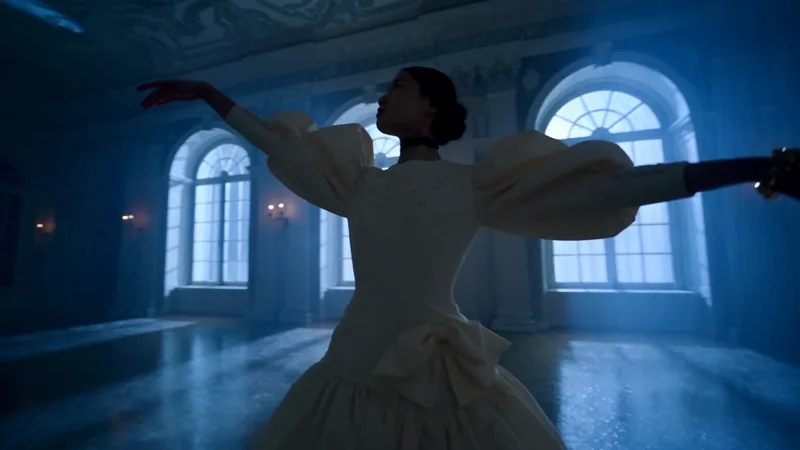
Sweeping low-angle camera gliding around a classical dancer in a sculptural ivory gown spinning across a rain-misted baroque hall as cool daylight pours through tall arched windows. Sound: echoing footsteps on wet marble, sweeping fabric whoosh, soft indoor rain, and soaring chamber strings.
Why it works: One smooth orbital arc around a single spinning subject, with sound layered cleanly from wet-marble steps to chamber strings. Watch the MP4.
Example 6 — Coastal Push-In Without Audio (10s, 16:9, silent)
Workflow: Text to Video · Duration: 10s · Ratio: 16:9 · Audio: off
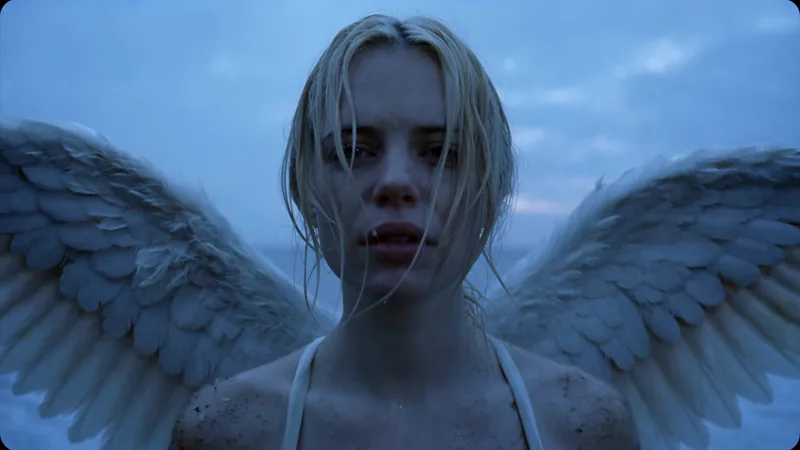
Slow steady push-in at blue hour along an overcast ocean shoreline as a dramatic winged figure lifts her gaze slowly toward the lens, wind catching damp strands of hair while pale surf rolls in behind. Shallow depth of field, cool film grain. Sound: rolling ocean waves and low coastal wind.
Why it works: Native Sync Audio was toggled off here to export a clean silent 1080p plate for custom scoring at the same 10 credits/sec rate. Watch the MP4.
Image to Video Keyframe Example
When starting from a still on Image to Video, describe motion and change over time rather than static appearance, anchoring opening and closing flow:
The scene comes to life from the first frame: the camera executes a smooth slow push-in while natural golden daylight shifts across the sheer linen curtain, gentle breeze moves fabric and dappled leaf shadows across the wooden window sill. Sound: soft outdoor breeze, quiet wooden floorboards settling, and warm natural room ambience continuing cleanly to the final frame.
How to Reuse Any Example Cleanly
- Keep duration and ratio fixed first so you know which edit changed the outcome.
- Swap subject and wardrobe, keep camera syntax (
Slow dolly push-intransfers across scenes). - Update the
Sound:line whenever the setting changes. - Add shots instead of adjectives when scaling from 10s to 20s or 30s.
All clips render at 1080p / 25 fps at 10 credits/sec—review full boundaries (no native 4K, 30s single-clip cap) on MAGI 2 Specs.